
Whatsapp Tips & Tricks
1. Hide Whatsapp Images and Videos from Gallery -> Android must be rooted <-
Step 1 : Install ES file explorer -> Google Play
Step 2 : Open ES File Explorer
Step 3 : Navigate to internal SD Card
Step 4 : Select Whatsapp folder by pressing the icon for a few seconds
Step 3 : Click 3 dotted but on right bottom
Step 6 : Click hide. Voila!!! Check your gallery.
2. Backup Whatsapp for formatting or change ROM
Step 1 : Go to Whatsapp
Step 2 : Get into Whatsapp Menu
Step 3 : Click Chat settings
Step 4 : Click Backup
Step 5 : Open file explorer
Step 6 : Copy Whatsapp folder from internal memory and keep it in extrenal sd card
Step 7 : After formatting install Whatsapp
Step 8 : Do not open Whatsapp
Step 9 : Copy back Whatsapp folder to Internal SD card again
Step 10 : Open Whatsapp and follow on screen
Step 11 : Select restore when whatsapp show there is back up file available.
3. Silent a particular group notifications
Step 1 : Open the conversation of particular group
Step 2 : Click 3 dot at top right.
Step 3 : Click Mute from the menu
Step 4 : Select how long to mute and the notification
Step 5 : To restore back open the menu again and click cancel mute.
Upgrade Arduino Wifi Shield
When you first bought an arduino wifi shield you might face some problems in making wifi webserver. This is due to the firmware on the wifi shield not supporting the webserver.
A latest firmware upgrade should make this work. But upgrading the firmware is quite a process for a beginner.
Let me show you a simple and step by step to upgrade the firmware.
Bluetooth Keyboard on Dual Boot Windows and Ubuntu
I’ve recently started to use Apple Wireless (bluetooth) keyboard and it is really a very great keyboard (more info here). I felt like I can type faster and more accurate using this keyboard. The only downside of this keyboard is the lack of dedicated Delete key. To execute a Delete, I will need to press fn + delete key.

Other than that, the main problem of using Bluetooth keyboard and having dual boot Windows 7 and Ubuntu 14.04 is that I will need to re-pair the bluetooth keyboard everytime I switch from one OS to another. The reason behind this is that the device actually create a unique key (store in both the OS and the Keyboard) every time it pair with an OS, but when the OS is being switch to another one, the unique key doesn’t match because the stored unique key on the keyboard is meant for the previous OS.
CT-UNO Cytron Review
Finally there is a local version of Arduino UNO from Malaysia. It is from no other than Malaysia Cytron technologies.
First of all well done to Cytron R&D team.
Lets see what this variety of Arduino features.

LCD module SSD1289 with Arduino
Working with touchscreen is always interesting. Everywhere we encounter touchscreen. Hand phones, tablet and many more..
How if we want to create our own touchscreen application with a very popular Arduino board. I am gonna share how to do this….
I am going to use a Funduino Mega 2560 basically same as Arduino Mega 2560.

Updating new build for website…

We are building new theme for this website. Please bare with us until further updates. The posts are still accessible as usual.
Thank you.
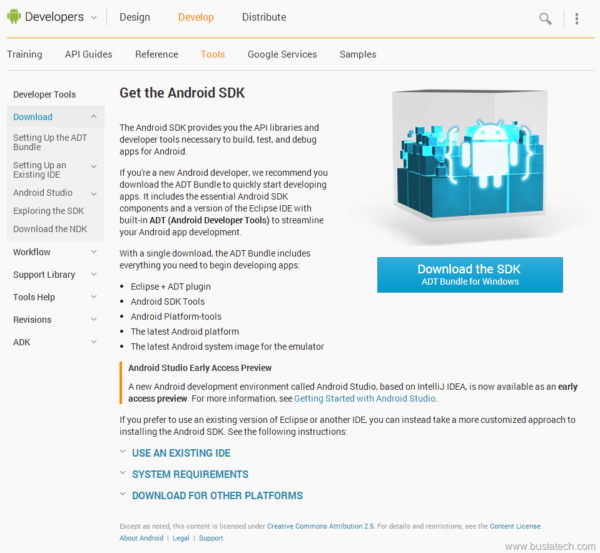
Setup IDE for Android Apps Development
⚠️ Archived post. This article is from 2014 and is kept for historical reference. The product or service it describes has since been discontinued or significantly changed, so the steps and links below may no longer work.
Creating apps for Android has been simplified by lots of tools available for free from internet. One of them officially by android.com:
http://developer.android.com/sdk/index.html
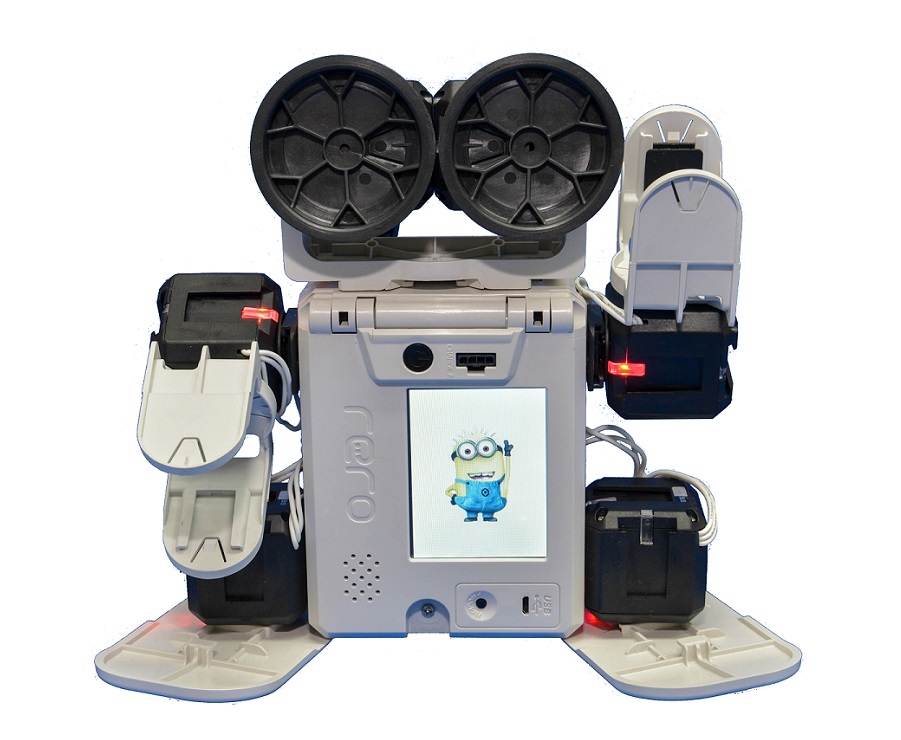
rero by Cytron
⚠️ Archived post. This article is from 2013 and is kept for historical reference. The product or service it describes has since been discontinued or significantly changed, so the steps and links below may no longer work.
Today, I would like to draw your attention to the latest buzz in Malaysia’s educational robotic industry – rero, which stands for reconfigurable robot. rero is a robot construction kit at a whole new level, featuring easy-to-use hardware design and programming tool. It is designed and manufactured by Cytron Technologies. rero official website here: www.rero.com.my
DIY Modified Zeniick Clock
http://www.kickstarter.com/projects/zacharypark/zeniick-watches
I previously purchased 2 Zeniick watches from KickStarter. Click on the link above for more information about Zeniick watch.
The received items: